Resonant Scenes
I designed an interactive experience that turns private emotions into something that can be seen, triggered and heard.
Context and Design Opportunity
THE GOAL IS NOT TO NAME EMOTION, BUT TO MAKE IT SAFE TO ENTER.
Many emotional-wellbeing products rely on scales, labels, written advice or conversational feedback. They may provide information, but they do not always create space for pause, sensation and reinterpretation. I identified three design opportunities. First, reduce the burden of expression: users do not need to name an emotion correctly before entering the experience; they only need to write down what is happening. Second, change the medium of feedback: rather than immediately explaining or advising, the system responds through scene, movement and sound. Third, shift the user from observing a result to participating in a transformation, so the experience feels less like being judged by a system and more like completing a change together with the emotion.
Experience Goals and Design Principles
No Dedicated Hardware Required Generation Time Is Part of the Experience One Scene, One Primary Animated Object Progression Instead of Repetition
The final experience must be directly accessible through a standard mobile browser. Users should not need to purchase, assemble or learn an additional device, nor install an application. The dedicated hardware prototype helped reveal the importance of bodily movement, but the final design transferred that participation to the phone users already own. Generative AI can translate personal experiences into narrative visual scenes, yet high-quality image generation is rarely instantaneous. In this project, the interval between submitting a personal event and receiving a personalised image could approach thirty seconds. A conventional loading screen would interrupt the emotional continuity of the experience. Generation latency was consequently reframed as the first act of the experience rather than a technical delay to be concealed. The sensors already embedded in a smartphone became a lightweight bridge between bodily movement, image, sound and emotional progression.
Iteration 01: Camera-Based Gesture Recognition and Particle Feedback
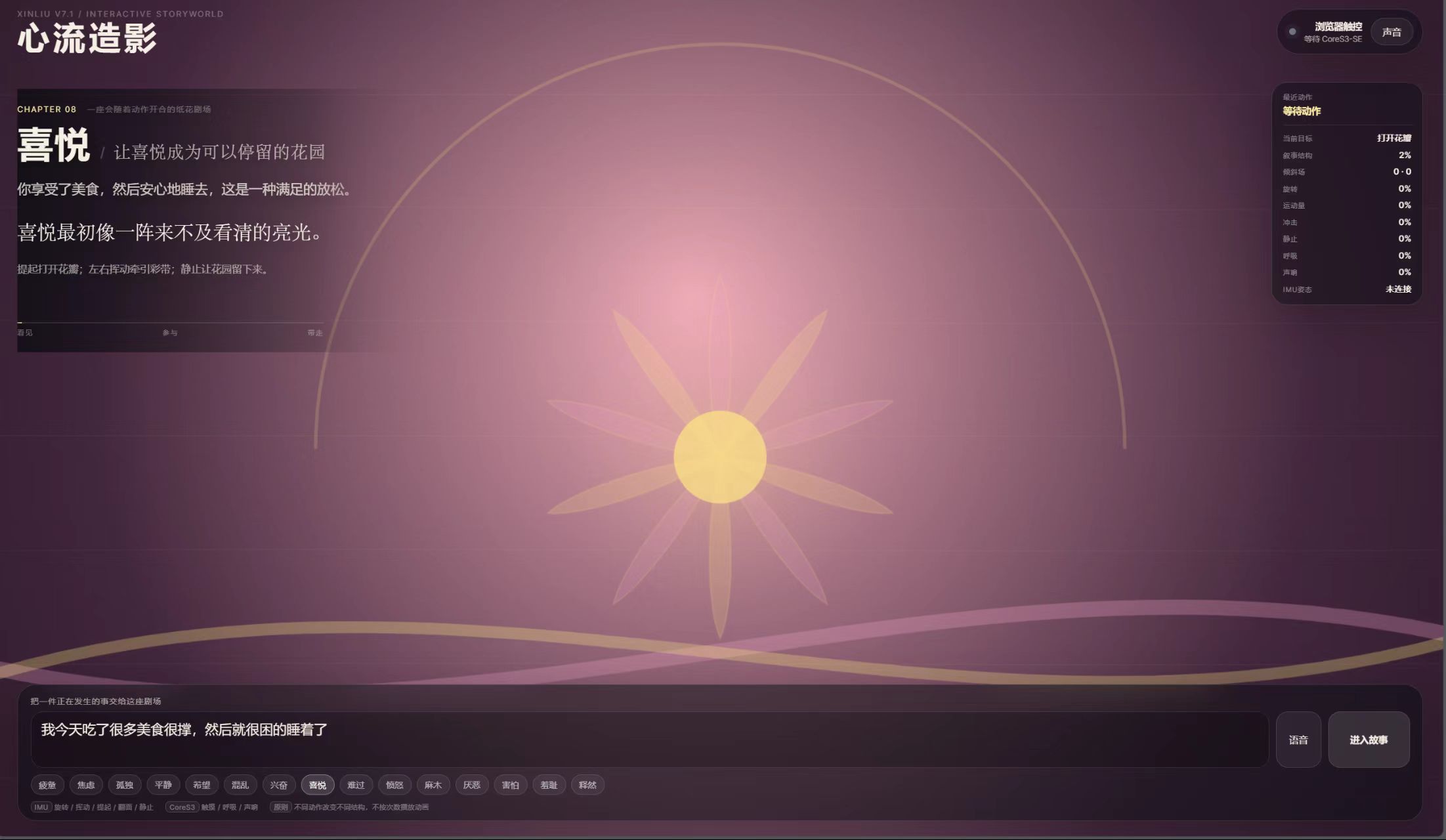
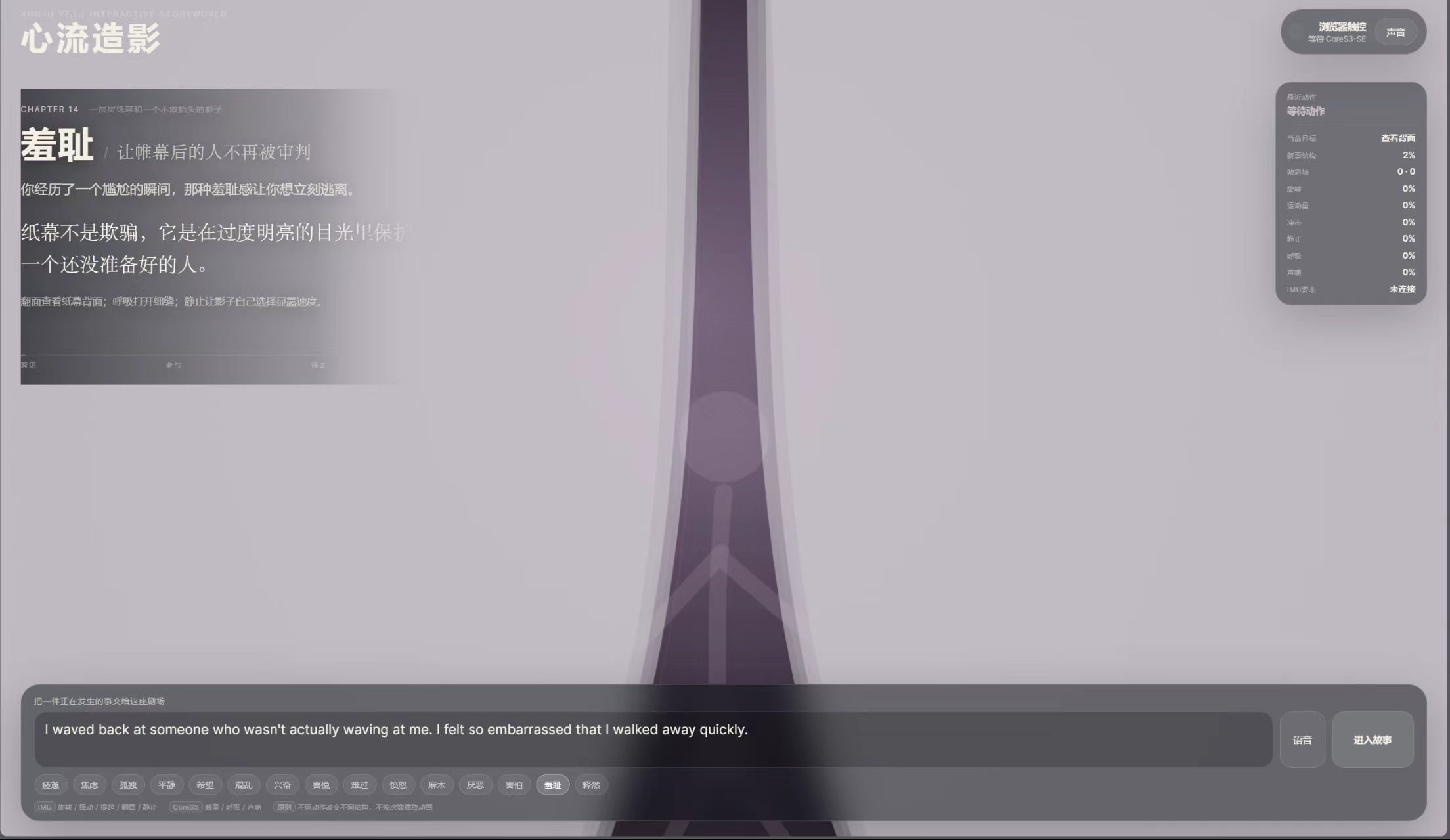
The project began with camera-based gesture recognition. Hand movement, opening and waving were mapped to particle displacement, expansion, aggregation and colour changes in the browser. This stage confirmed an important hypothesis: users were willing to participate in emotional expression through bodily movement rather than through buttons alone. However, the procedural two-dimensional visuals were primarily composed of particles, lines, ripples and geometric forms. Even when emotions were assigned different colours, speeds and motion rules, the result often still resembled a technical demonstration. I therefore realised that an emotional experience requires not only dynamic feedback, but also a visual narrative capable of holding events, characters and spatial relationships.
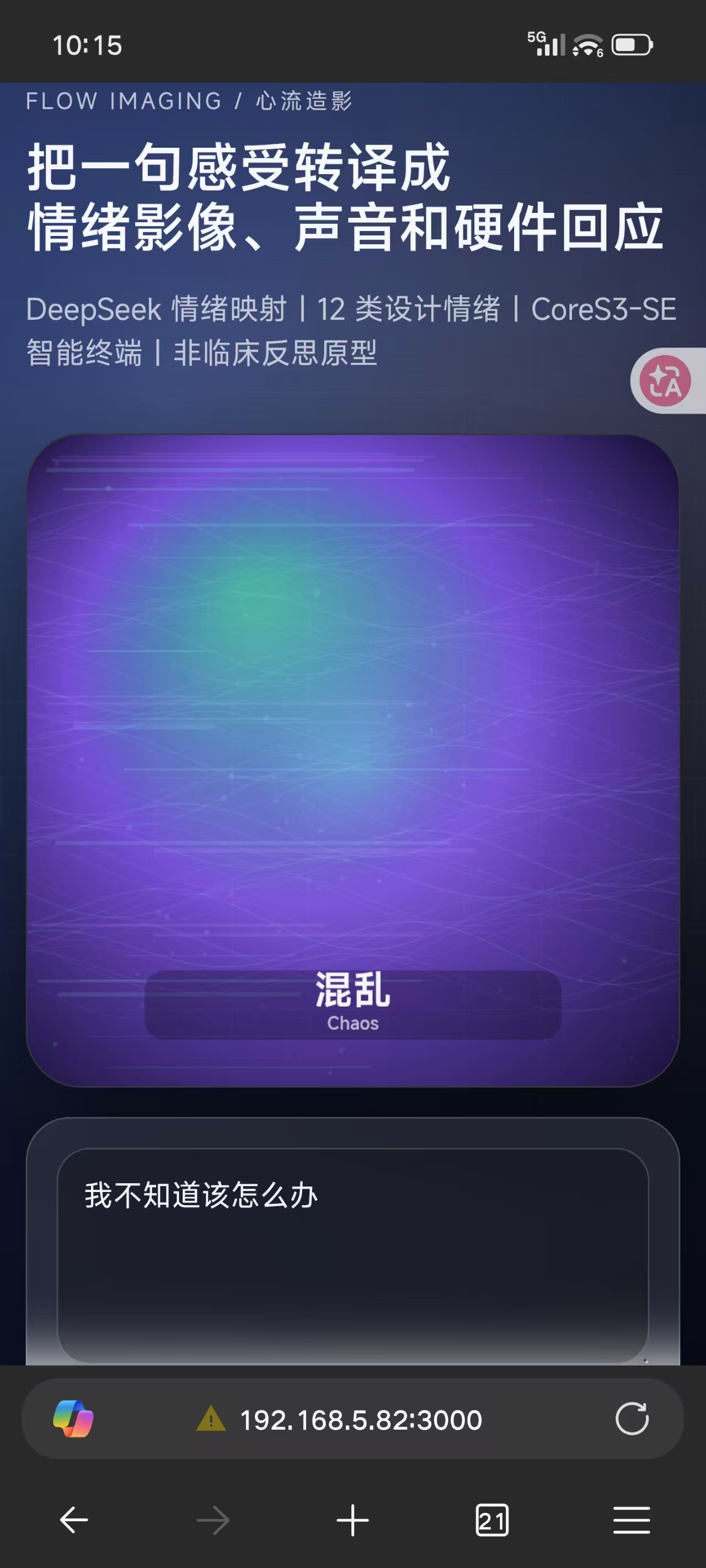
Shame v1
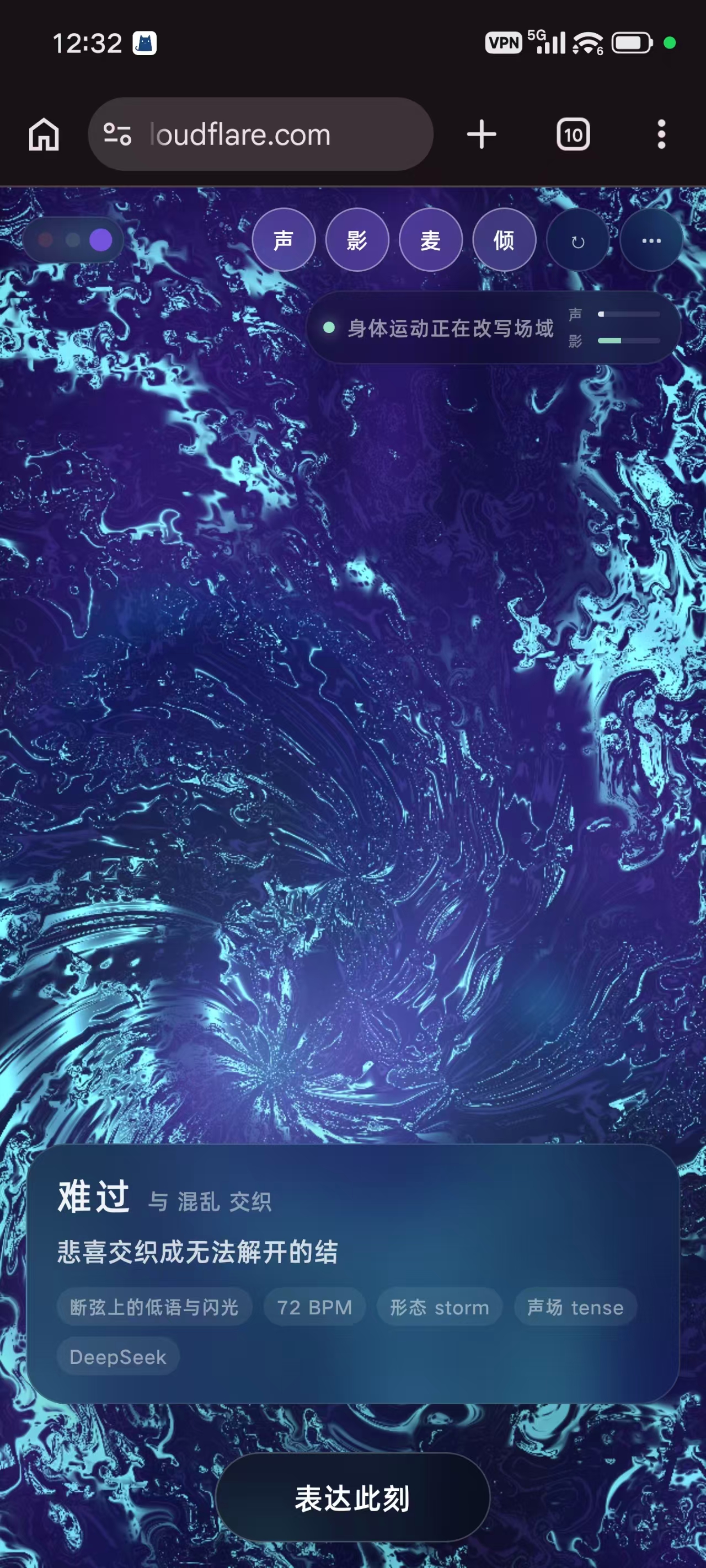
Sadness v1
Excitement v1
Iteration 02: MPU6886, CoreS3 and the Interactive Sphere
To move the interaction beyond an on-screen gesture and into a physically held experience, I designed a shakeable spherical object. The prototype used an MPU6886 motion sensor to read acceleration, rotation and shaking behaviour. A CoreS3 board and its illuminated display were placed inside a transparent or translucent plastic sphere. Reflective fabric or similar reflective material was intended to diffuse and multiply the screen light within the sphere, creating a sense of enclosure and internal glow. Shaking the sphere could drive two stages of the experience: before the AI image was generated, it controlled browser-based emotional particles and procedural two-dimensional animations; after the AI image appeared, it continued to control image movement, colour, local effects and subsequent visual changes. This prototype strengthened the bodily relationship between holding, weight, inertia and shaking. It also introduced the symbolic idea of “holding an emotion in one’s hands”. However, powering the CoreS3 board, the MPU6886 and continuous illumination required a battery. The battery, board, wiring, mounting structure and plastic shell collectively increased the size of the sphere. An object intended to be held naturally gradually became oversized, heavy and dependent on maintenance. The hardware also introduced new barriers: users had to be physically present with the device; the system required charging and maintenance; different grip sizes were constrained by the sphere; the experience could not be shared remotely with ease; every demonstration depended on complete hardware availability. This failure did not make me abandon embodied interaction. Instead, it clarified what the project actually needed to preserve: not the sphere itself, but the relationship in which shaking causes an emotional scene to respond to the body. The next design goal therefore became: Remove the dedicated sphere while preserving the shake; remove the device barrier while preserving bodily participation. The interaction was ultimately transferred to the motion sensors already embedded in an ordinary smartphone. A user now only needs to open a URL, grant motion permission and gently shake the phone to enter the same visual, sonic and five-stage emotional experience.
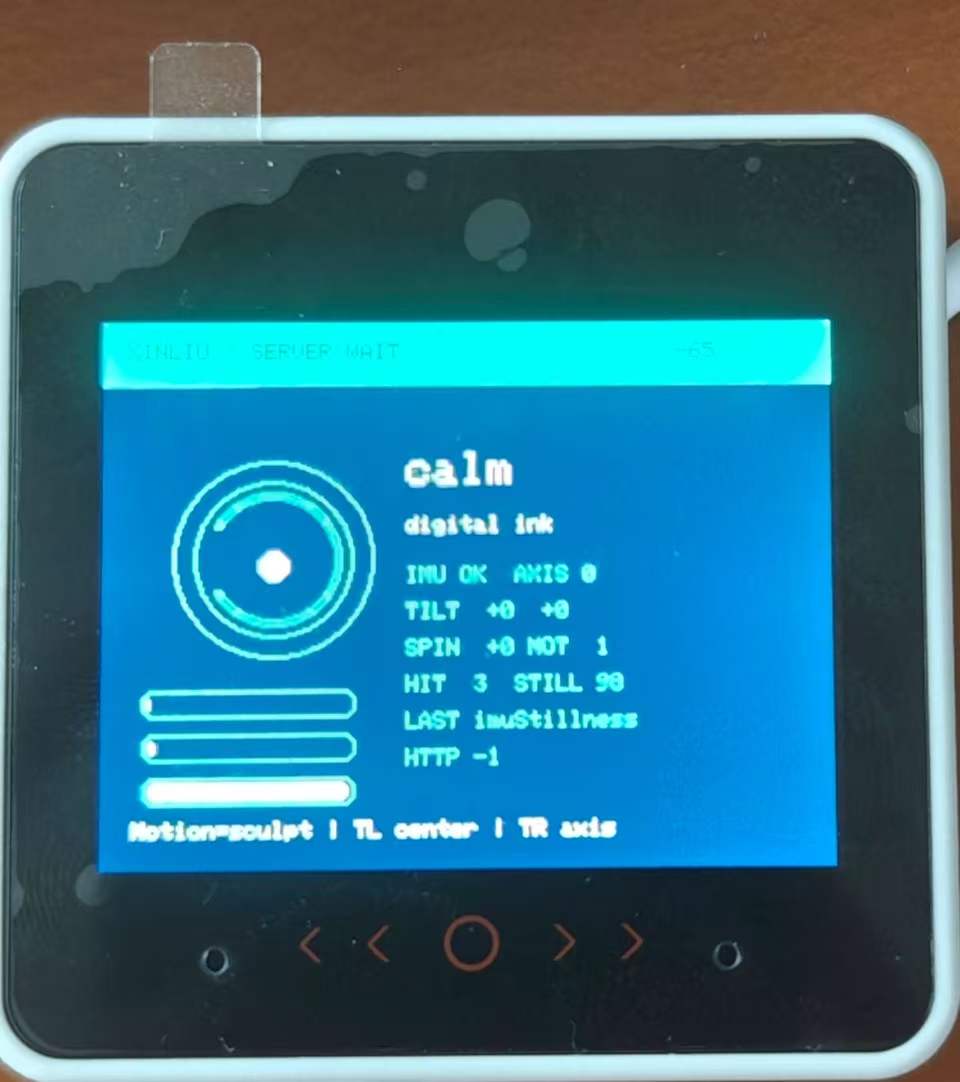
Synchronize hardware and the web interface using Wi-Fi communication.
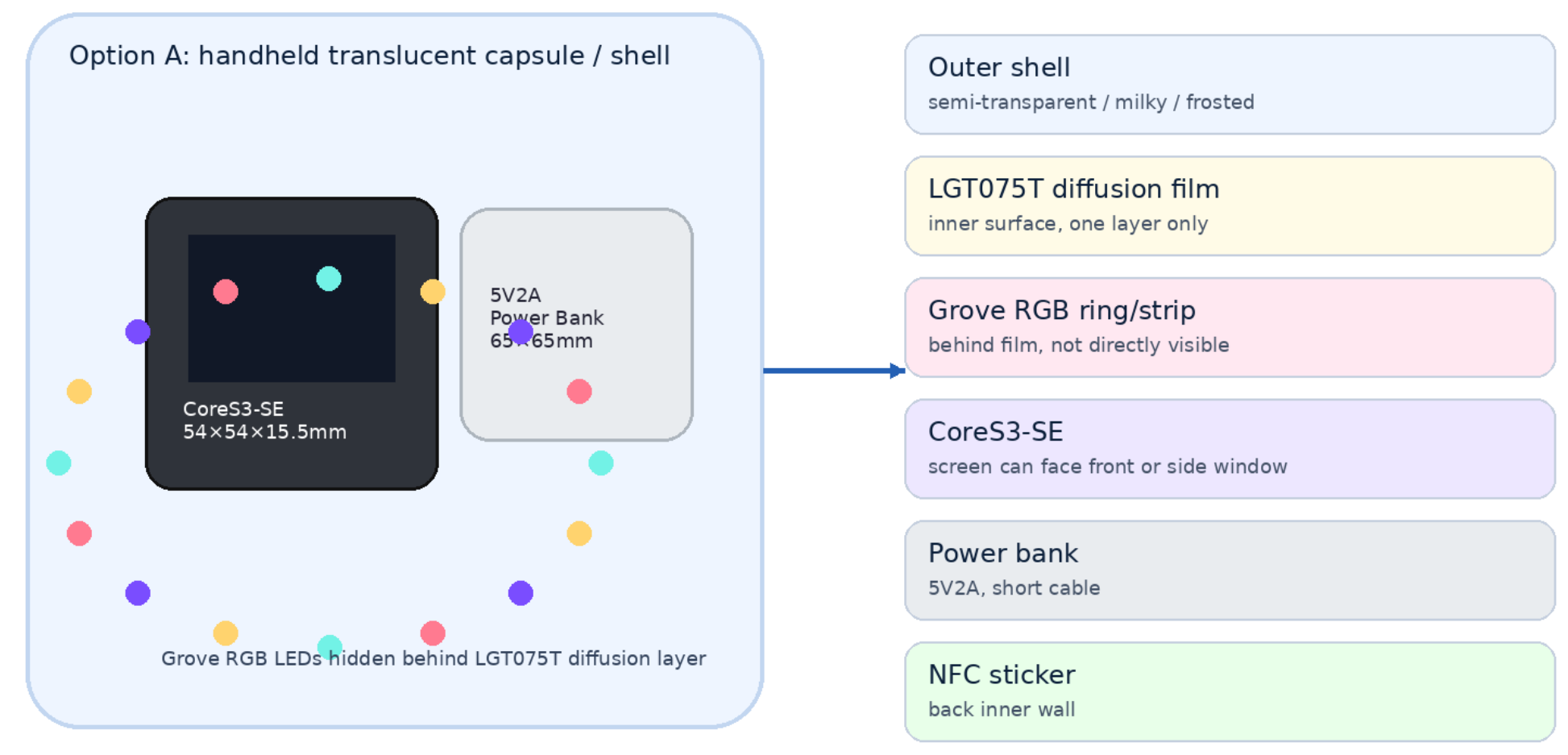
Interaction hardware architecture diagram for Plan 2: using RGB LED strips to emit light in a color corresponding to each detected emotion.
When Complexity Became Visible: From Local Generation To Cloud Intelligence
Alongside the hardware experiments, I also explored a locally deployed ComfyUI workflow for image generation. Local deployment allowed control over model nodes, workflow structure and certain visual parameters, while reducing direct dependence on external services. However, the project did not simply require the generation of a generic “emotional image”. The system needed to understand what had specifically happened to the participant, how the event related to the emotion, what spatial metaphor was appropriate, and which actions or objects should appear in the scene. For example, “I received the opportunity I had been waiting for, yet suddenly felt empty” and “I lost a relationship and therefore felt empty” may both be classified as numbness or loss, but they require entirely different narrative images. A local image workflow alone could not consistently perform this event-level semantic translation. The final pipeline therefore became: Specific personal event → language-model interpretation of event–emotion relationships → structured visual prompt construction → Seedream cloud image API → personalised emotional scene Cloud generation improved the system’s ability to understand concrete events, interpersonal relationships and visual metaphors. It also introduced network dependence and a waiting period that could approach thirty seconds. This technical trade-off directly led to the final two-layer visual architecture: an immediately available library of fourteen pre-generated emotional scenes; followed by a personalised AI image related to the user’s event.
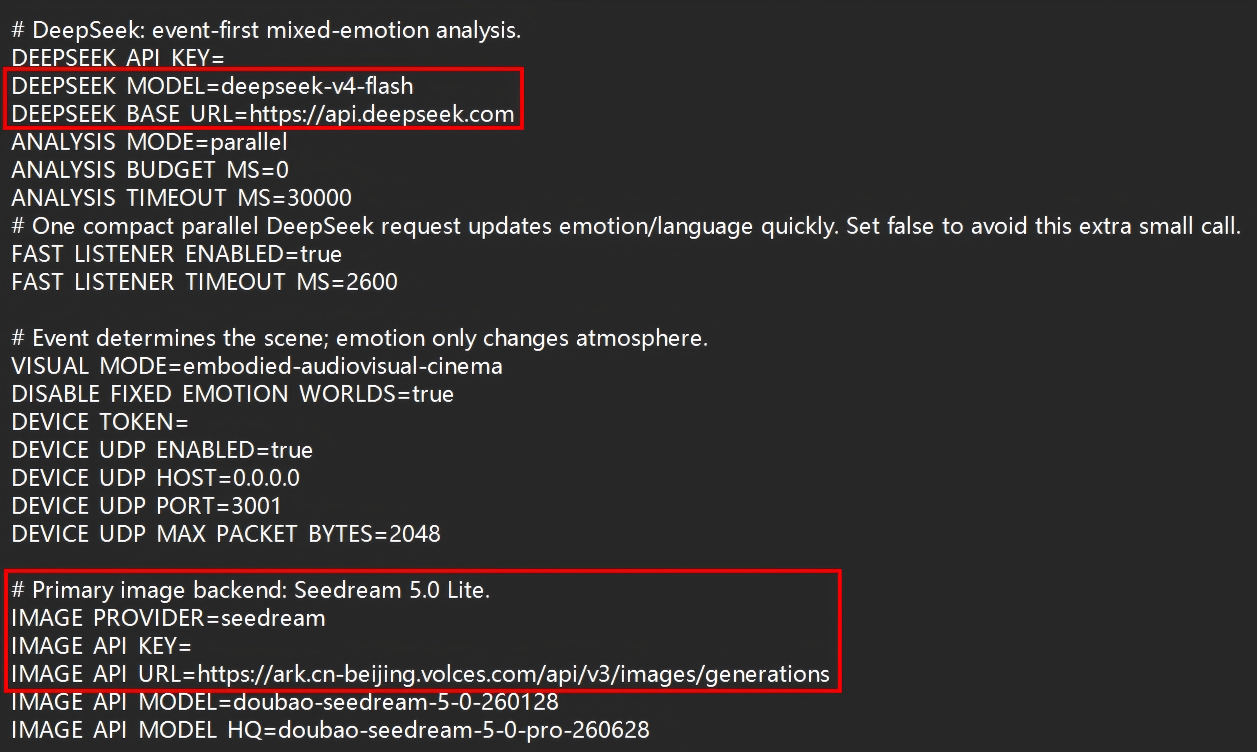
Call the APIs for the semantic model and the image generation model within the code snippet.
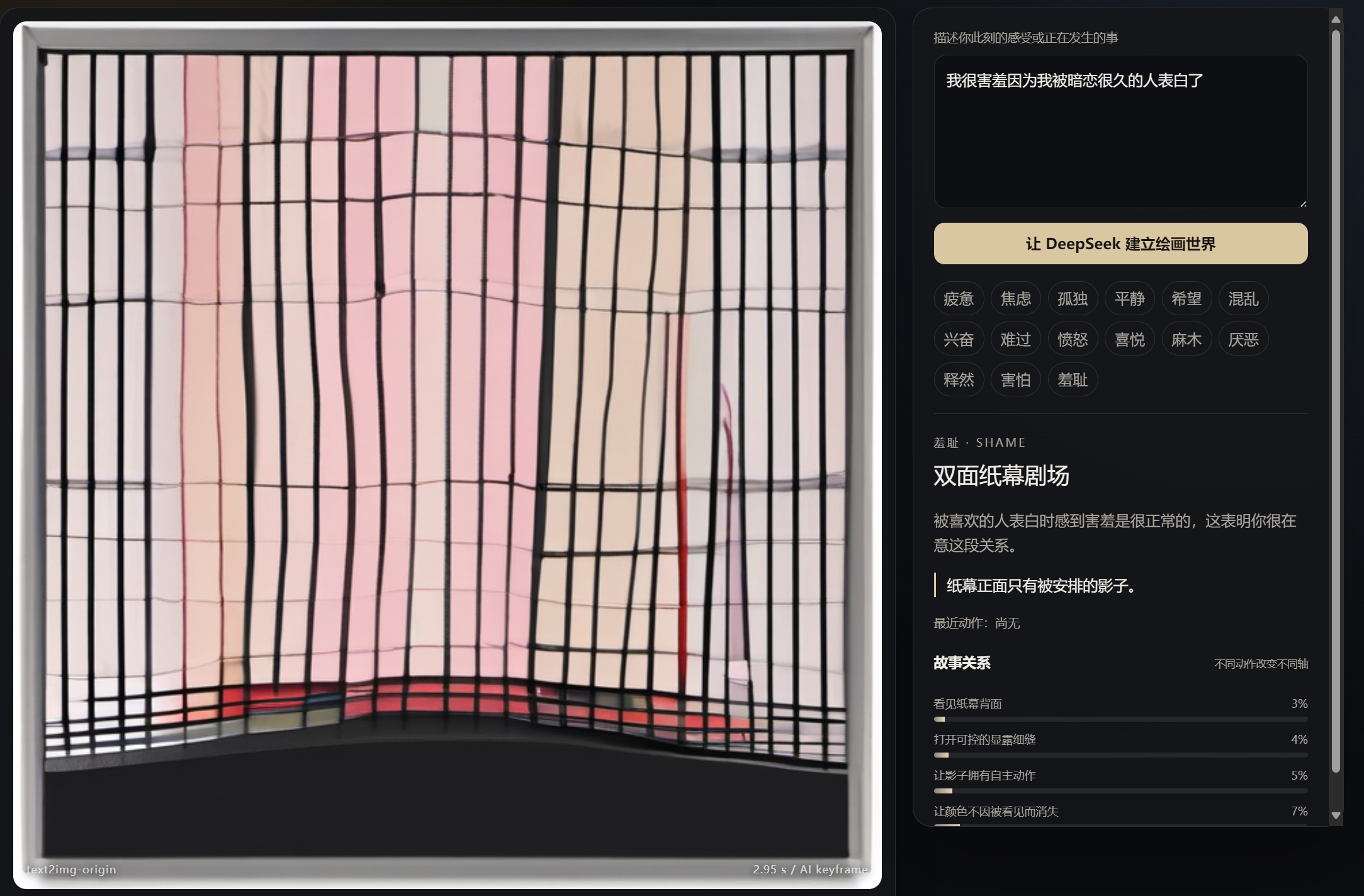
Image1 created using ComfyUI based on users' experiences: due to its limited semantic understanding, it can only generate abstract images constrained by the prompts I designed.
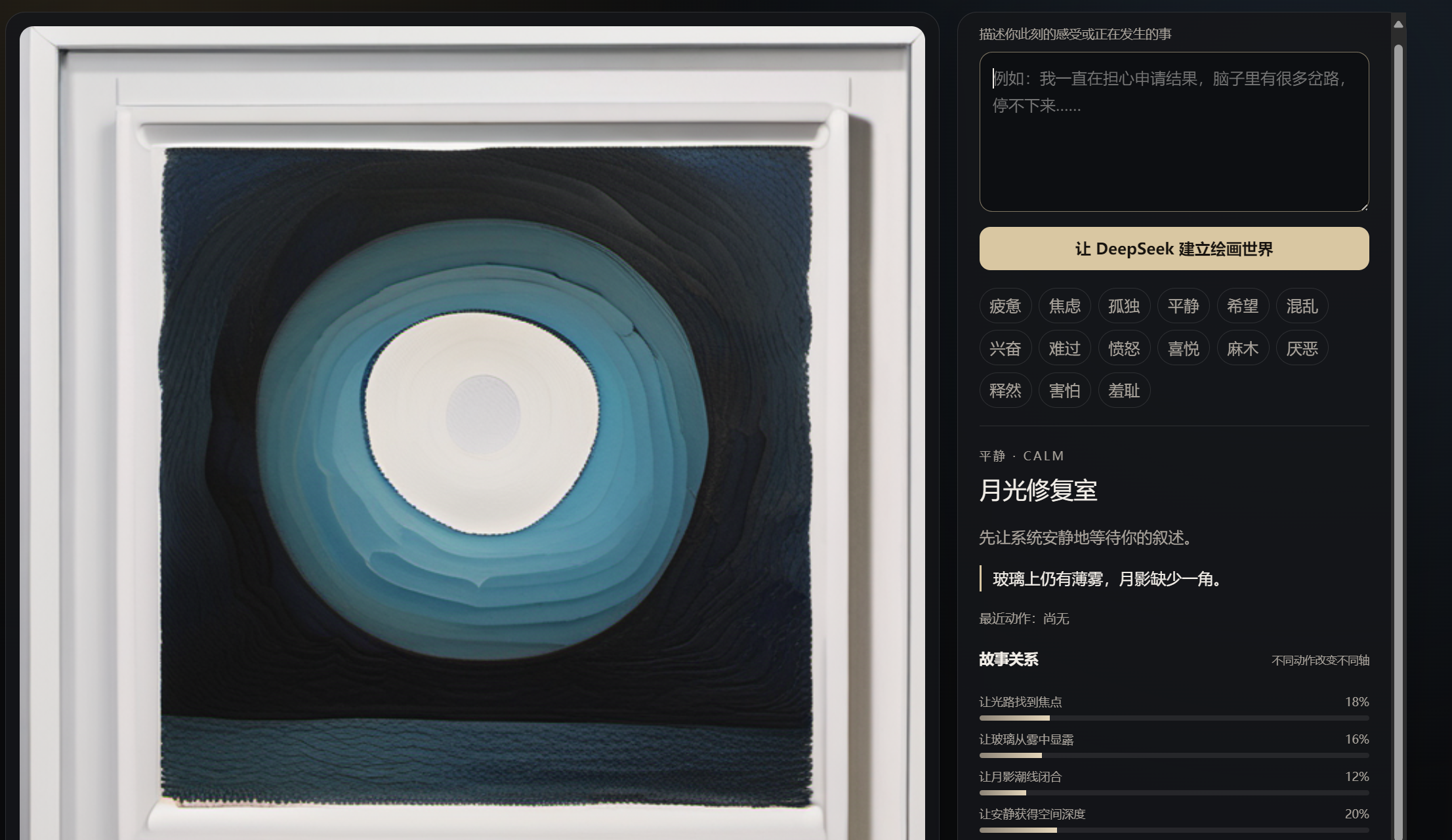
Image2 created using ComfyUI based on users' experiences: even though it generates images faster than cloud-based solutions, it fails to achieve the desired therapeutic effect.
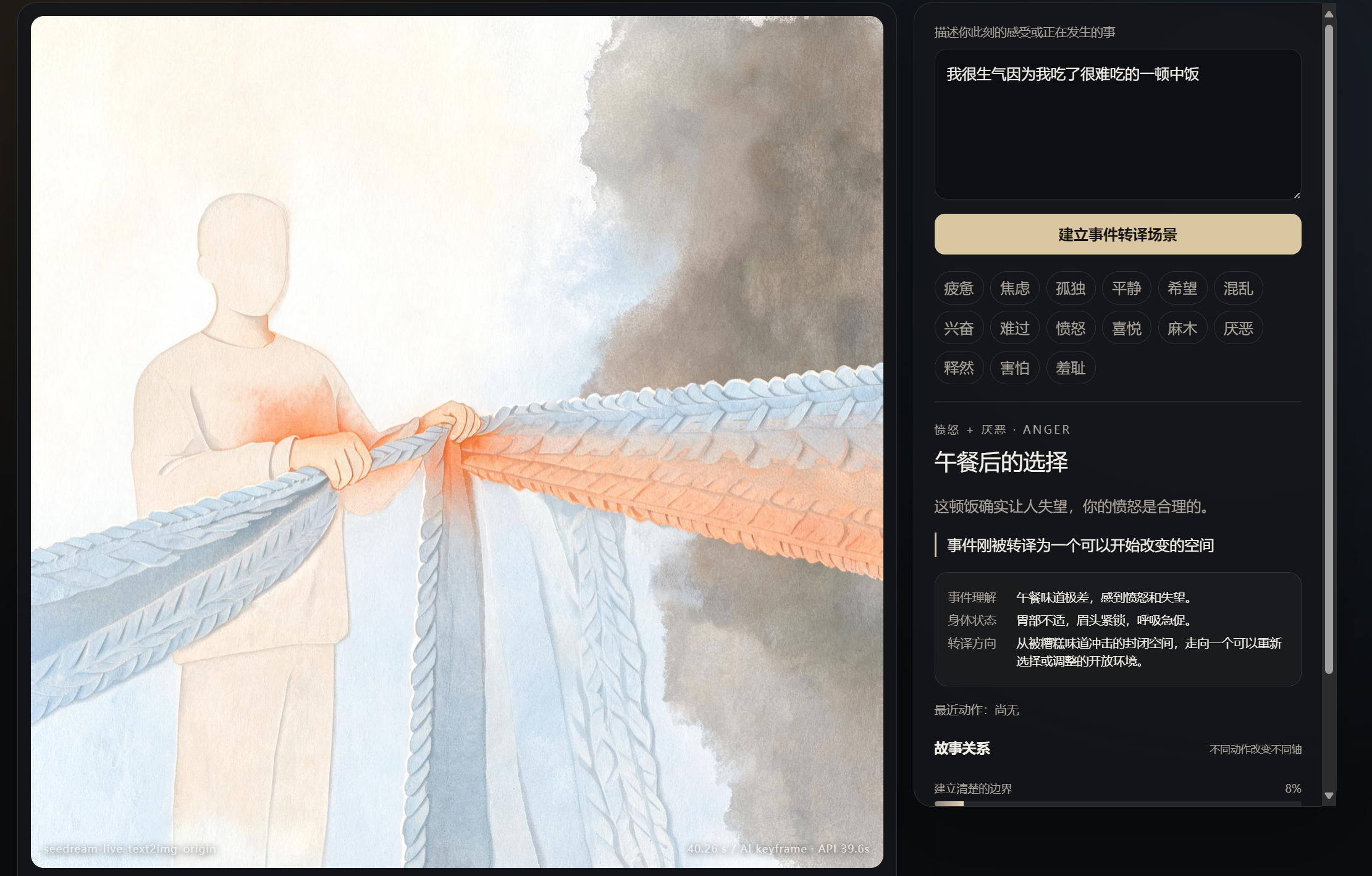
When I first started API to generate image, I constrained the output direction for each emotion; this resulted in nearly identical images for different experiences sharing the same emotional label, making it impossible to achieve the desired interactive effect.
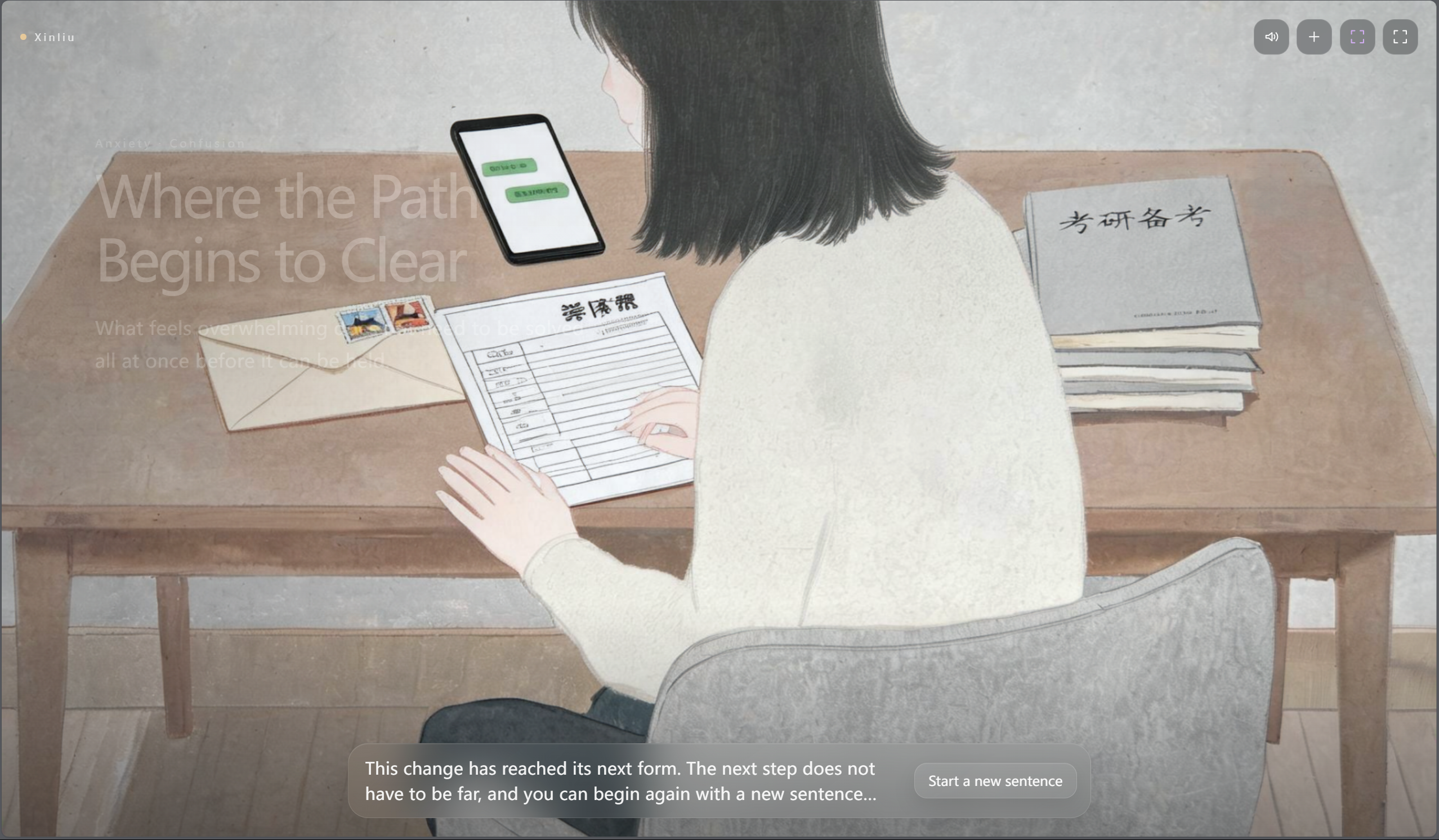
So I had the semantic understanding model send specific image-based narratives to the image generation model based on the user's experiences; however, common issues associated with AI image generation still arose during the debugging phase.
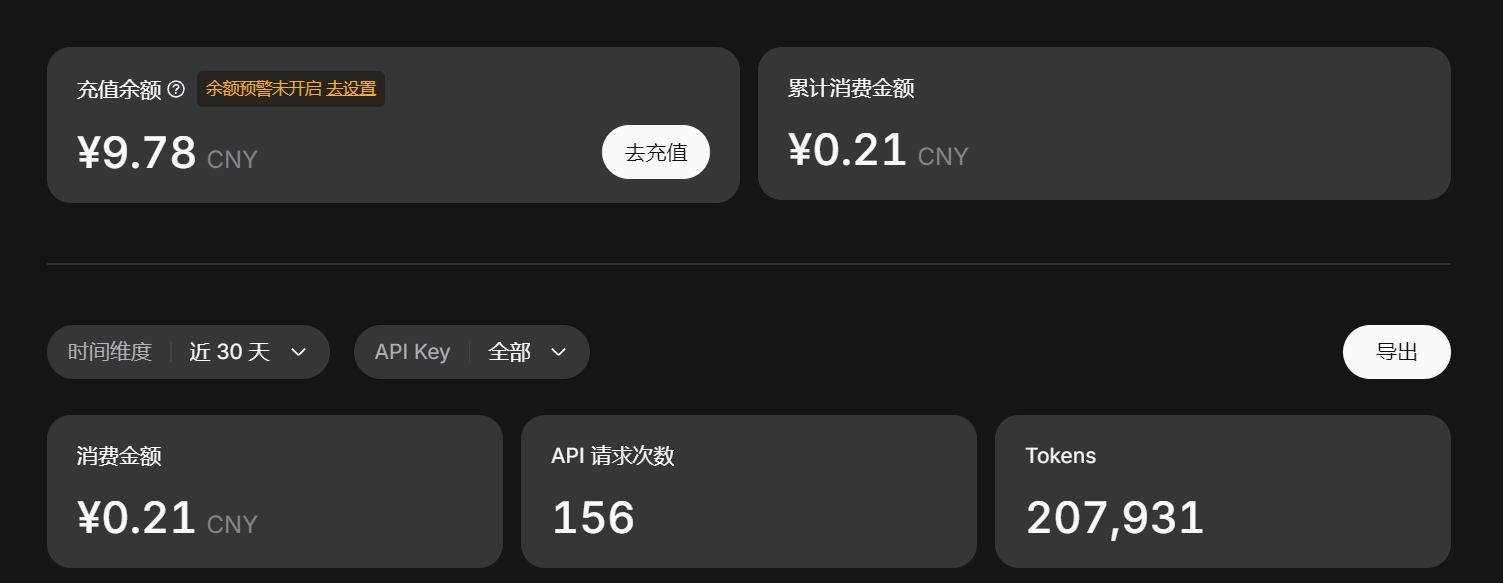
Number of API calls made during debugging: DeepSeek is a highly cost-effective semantic understanding model.
Before AI Image Appeared: From Procedural Animation to Image-Led Emotional Scenes
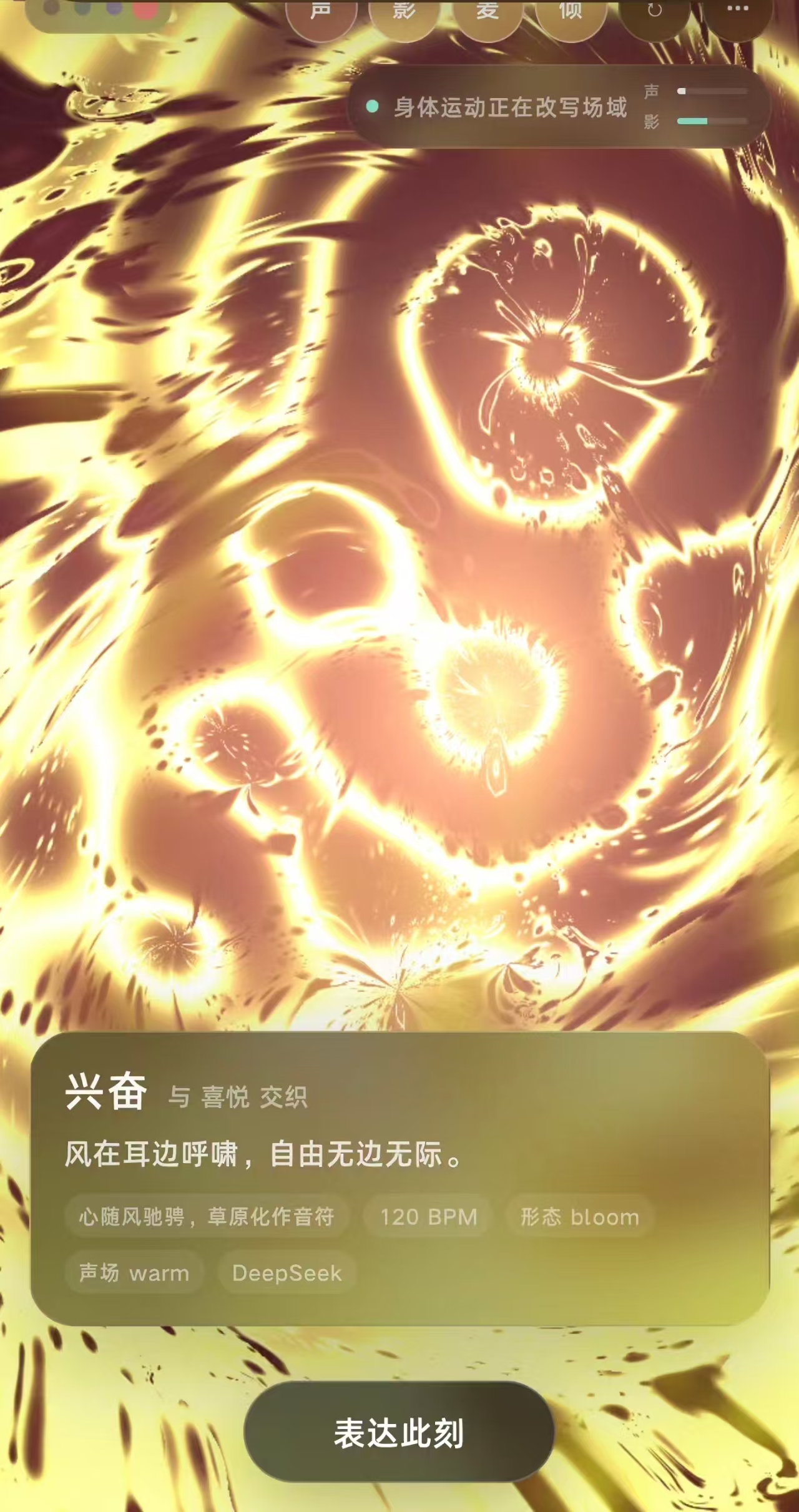
The waiting experience before the personalised AI image appeared underwent two major transformations. The first stage relied entirely on browser-generated two-dimensional animation, including particles, curves, ripples, colour fields and geometric motion. These effects responded immediately to movement, yet lacked sufficient visual refinement and narrative depth. In the second stage, I created a library of fourteen emotional scenes through a unified prompt system. Browser code was then used to animate local regions of each image or modify specific visual properties of the image itself. This approach retained the strengths of both systems: AI-generated imagery provided characters, spaces, objects and narrative relationships; browser-based code provided immediate, repeatable interaction without requiring an additional API call. The waiting screen therefore ceased to be a temporary placeholder and became a complete affective prelude system.
Browser-generated image 1:Excitement
Browser-generated image 2:Shame
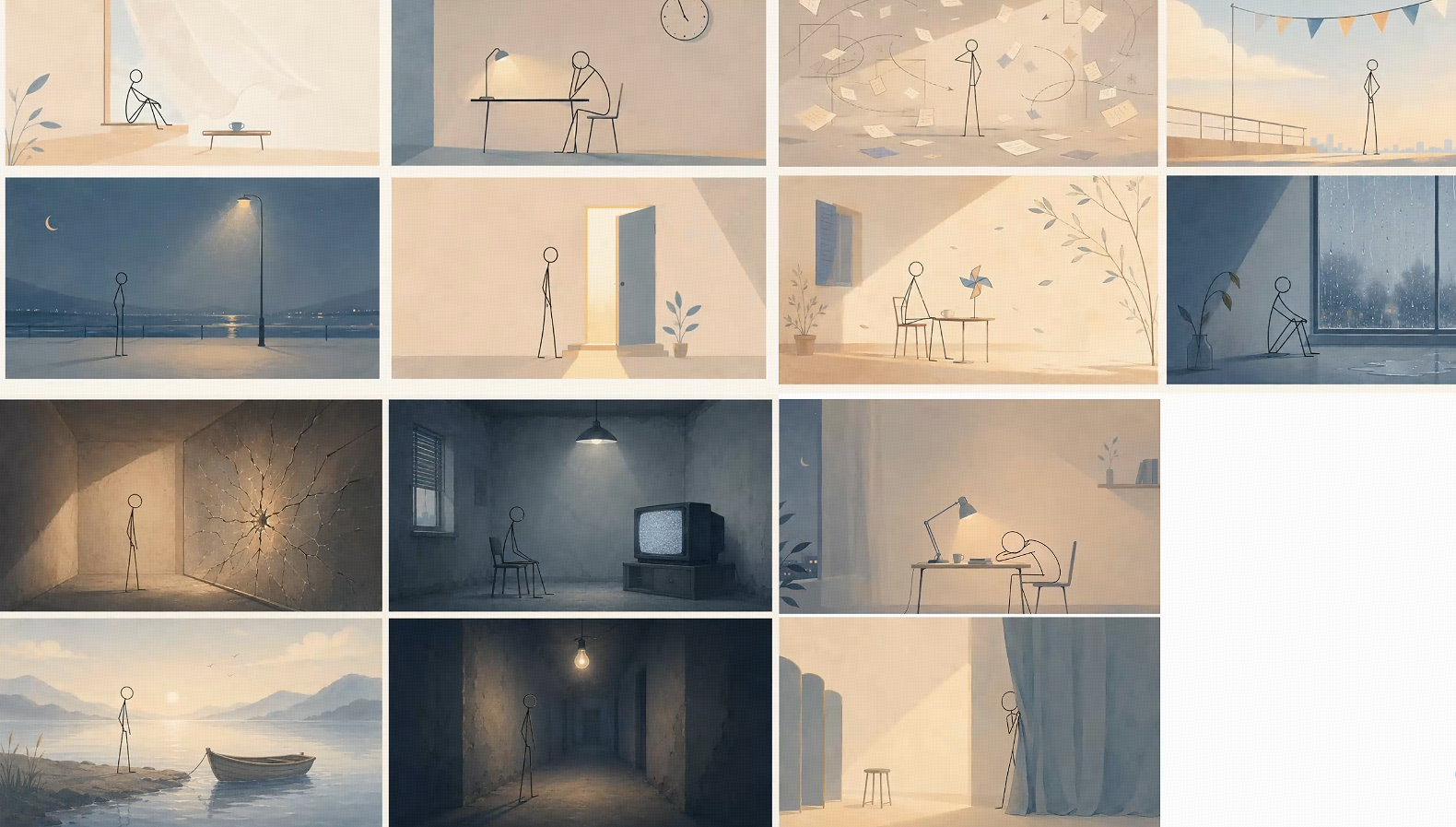
Final version: 14 emotional scenes through a unified prompt system Sharing a consistent visual language: warm beige, desaturated blue-grey and restrained warm illumination; paper-like, watercolour or subtly grainy surface textures; quiet cinematic spaces with clear foreground, middle-ground and background relationships; a consistent minimal stick-figure character; everyday objects used as emotional metaphors; restrained negative space without visual emptiness; emotion communicated through distance, lighting and object relationships rather than exaggerated facial expression. The stick figure functions as a neutral emotional vessel. It has no specific identity, age or facial expression, allowing different participants to project themselves into the scene.
Final Interaction Structure: Turning One Action into One Echo
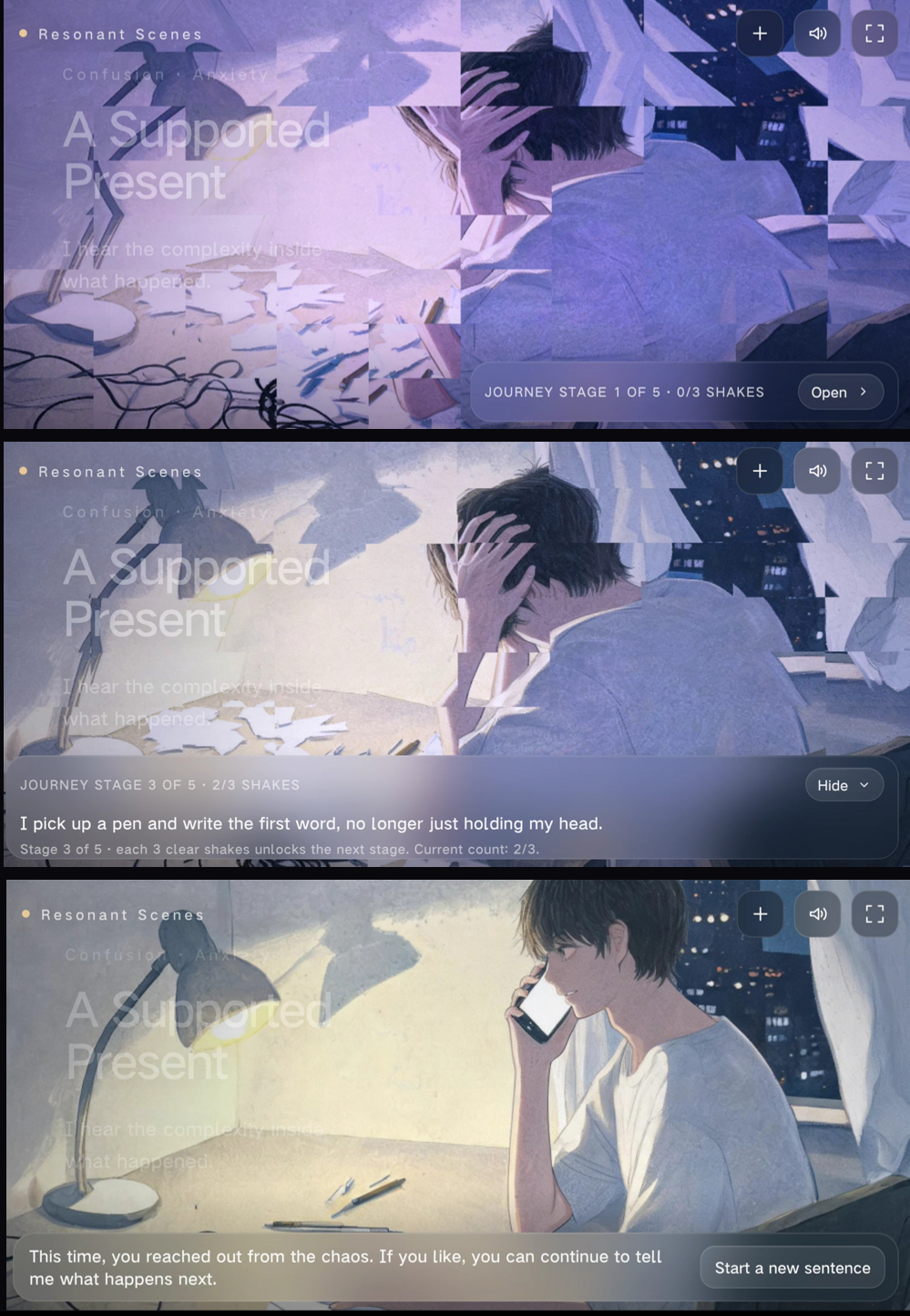
The interaction after the personalised AI image appeared also went through several iterations. Initially, the generated image remained static. When the user shook the phone, the system repeatedly applied the same global displacement or scaling effect. Although movement was successfully recognised, the interaction quickly became mechanical. A second version introduced five stages, but each stage only changed colour temperature, brightness or global scale. The stages differed numerically, yet lacked narrative development. I subsequently introduced: local lighting changes; atmospheric particles and overlays; effects such as ripples, cracks, rain, mist and light beams; therapeutic language that progressed across stages; The five stages therefore ceased to be five sets of filter values and became a gradual emotional process: Perceive: acknowledge the feeling that is present; Hold: allow the emotion to remain without immediately resolving it; Loosen: use movement to begin changing image and sound; Reframe: introduce a new direction through space, colour and language; Integrate: form a more complete result image and closing statement. With every valid shake, a shared Trigger ID now advances visual animation, activates sound and accumulates journey progress simultaneously, preventing image, audio and language from responding as disconnected systems.
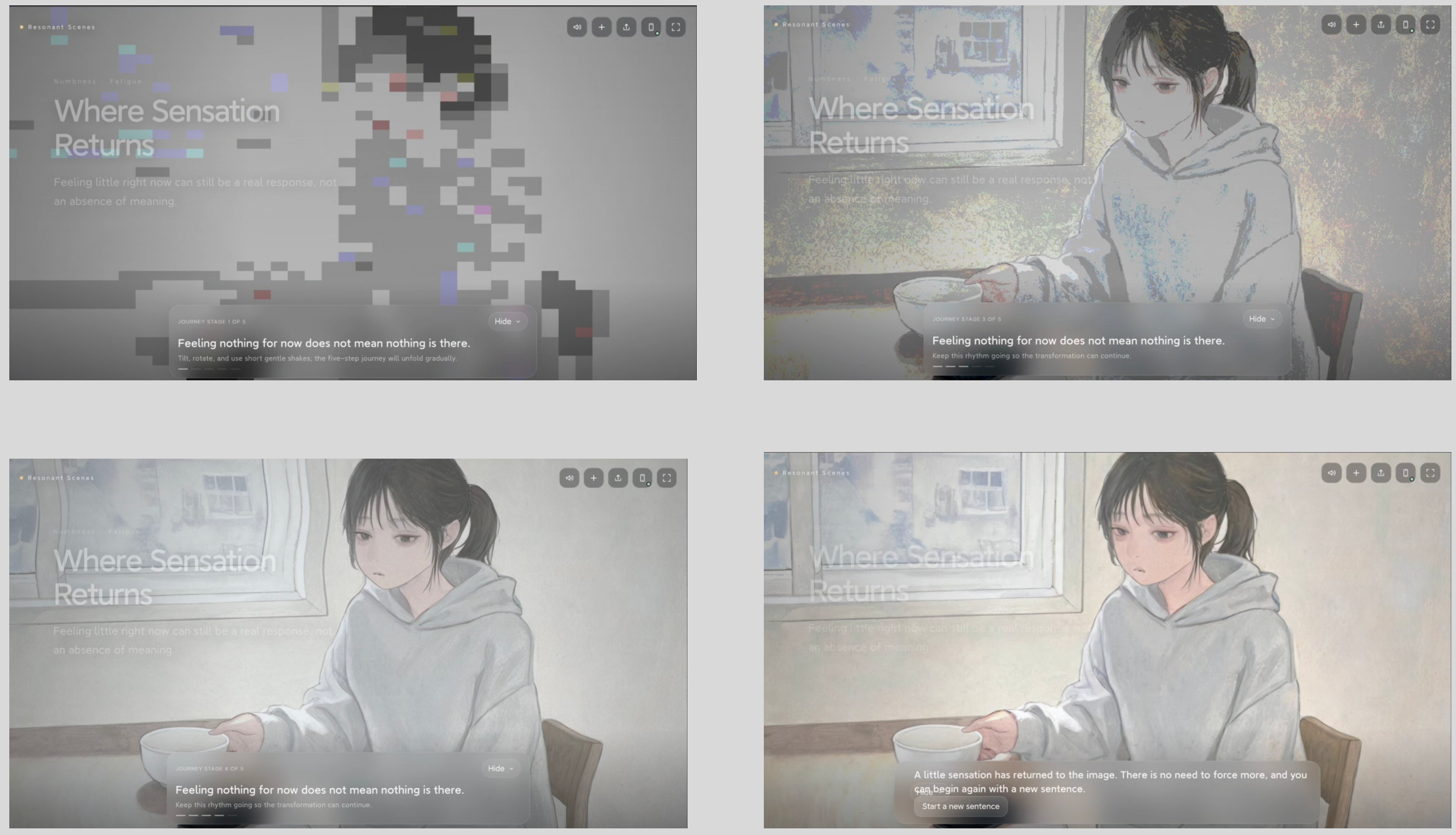
Five stage example 1: Numbness
Visual System for Fourteen Emotions
Across all fourteen emotions, every generated image follows the same visual principles: soft, stylised narrative illustration rather than photorealistic imagery; matte gouache-like texture with subtle paper grain; muted beige, blue-grey and restrained warm accents; simplified but anatomically stable figures; reduced facial identity and limited gender-specific detail; emotional meaning communicated through posture, gesture, objects and spatial relationships; no live-action stills, photographic portraits, glossy skin or celebrity-like faces; no readable text, logos, interfaces or watermarks; coherent perspective, believable physical contact and clear visual hierarchy. The second Seedream image is not a generic positive version of the first image. It must preserve the same event, character, setting, objects and illustrated medium while showing a concrete transformation. The final image must include: a visibly completed action; a changed state of an existing object or event-related piece of evidence; a new spatial, behavioural or relational outcome. The transformation cannot be achieved only through warmer colour, brighter light, additional particles, camera zoom or a slight change in posture. The second image must show that something within the participant’s actual situation has materially changed. Both AI images retain the same non-photorealistic medium, reduced facial identity, colour system and level of abstraction.
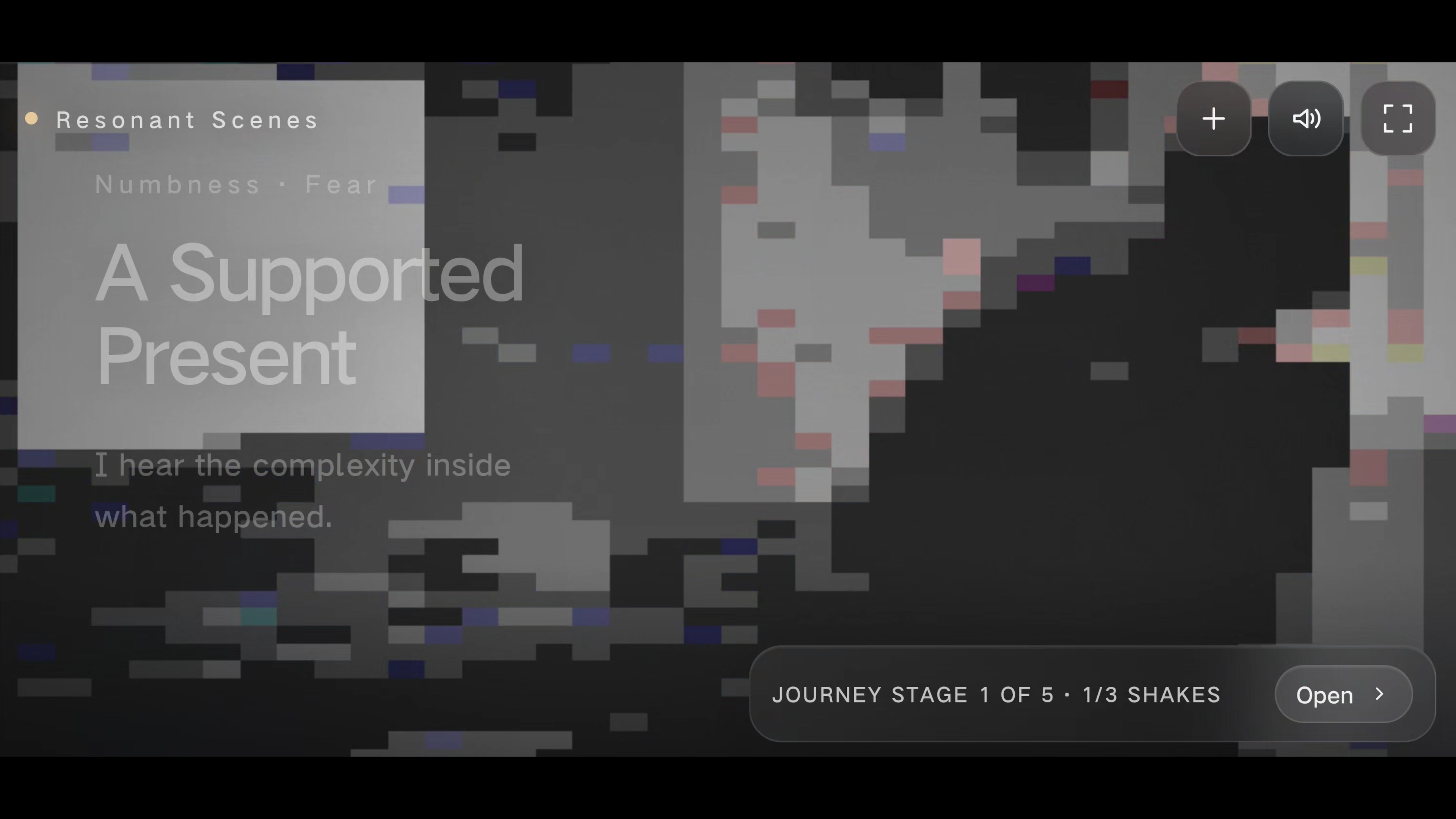
Image 1 stage 1
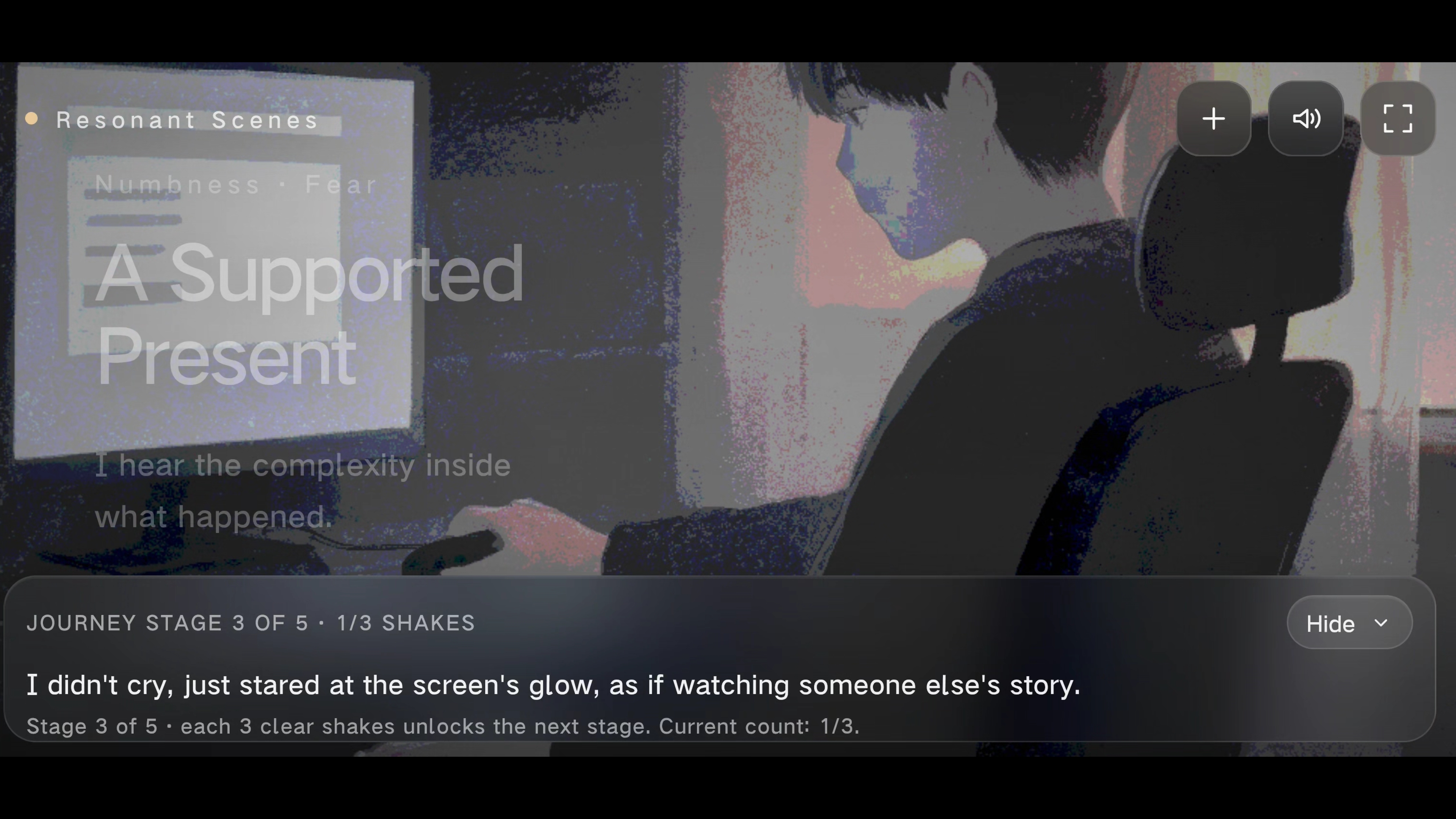
Image 1 stage 3
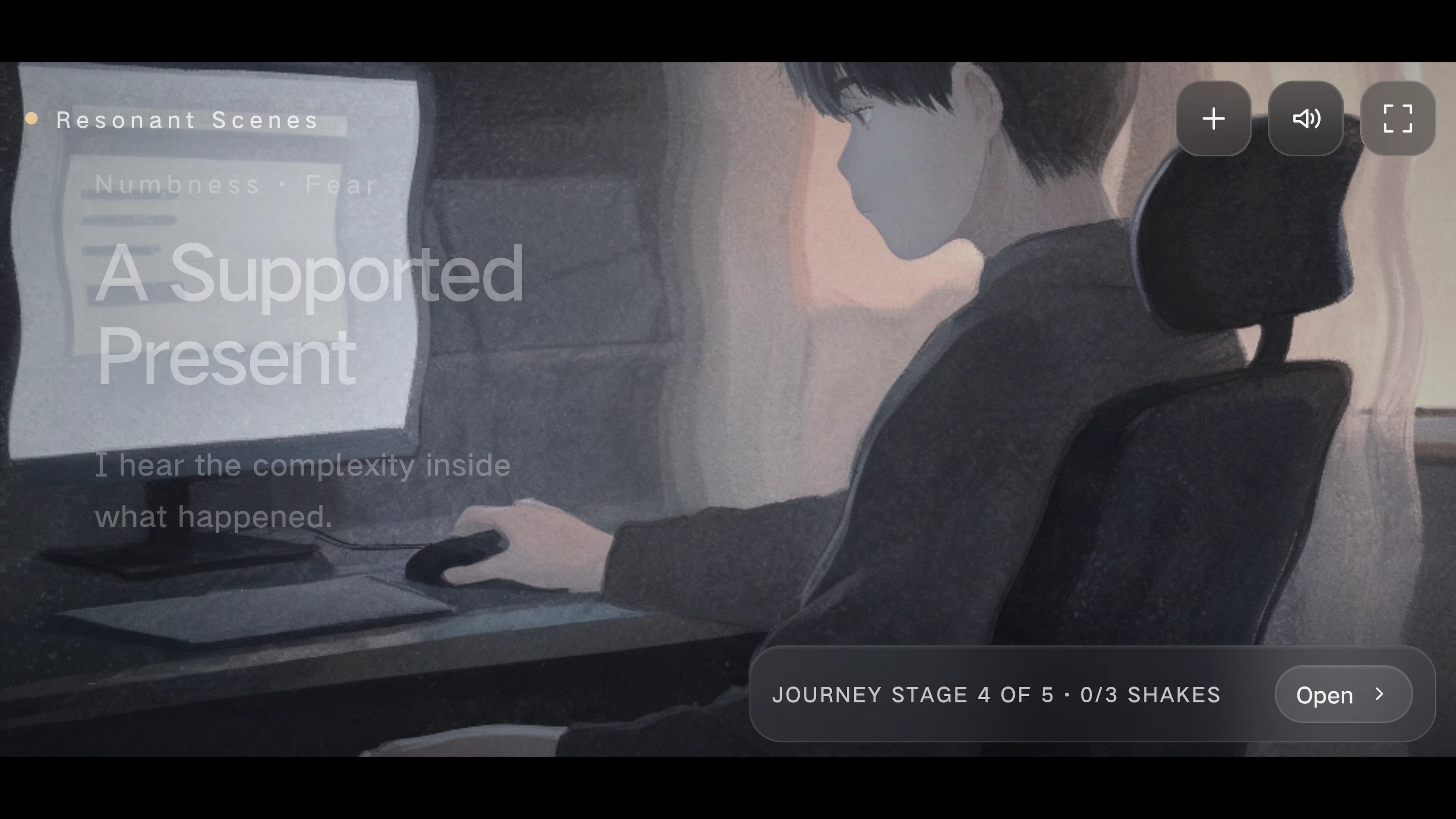
Image 1 stage 4
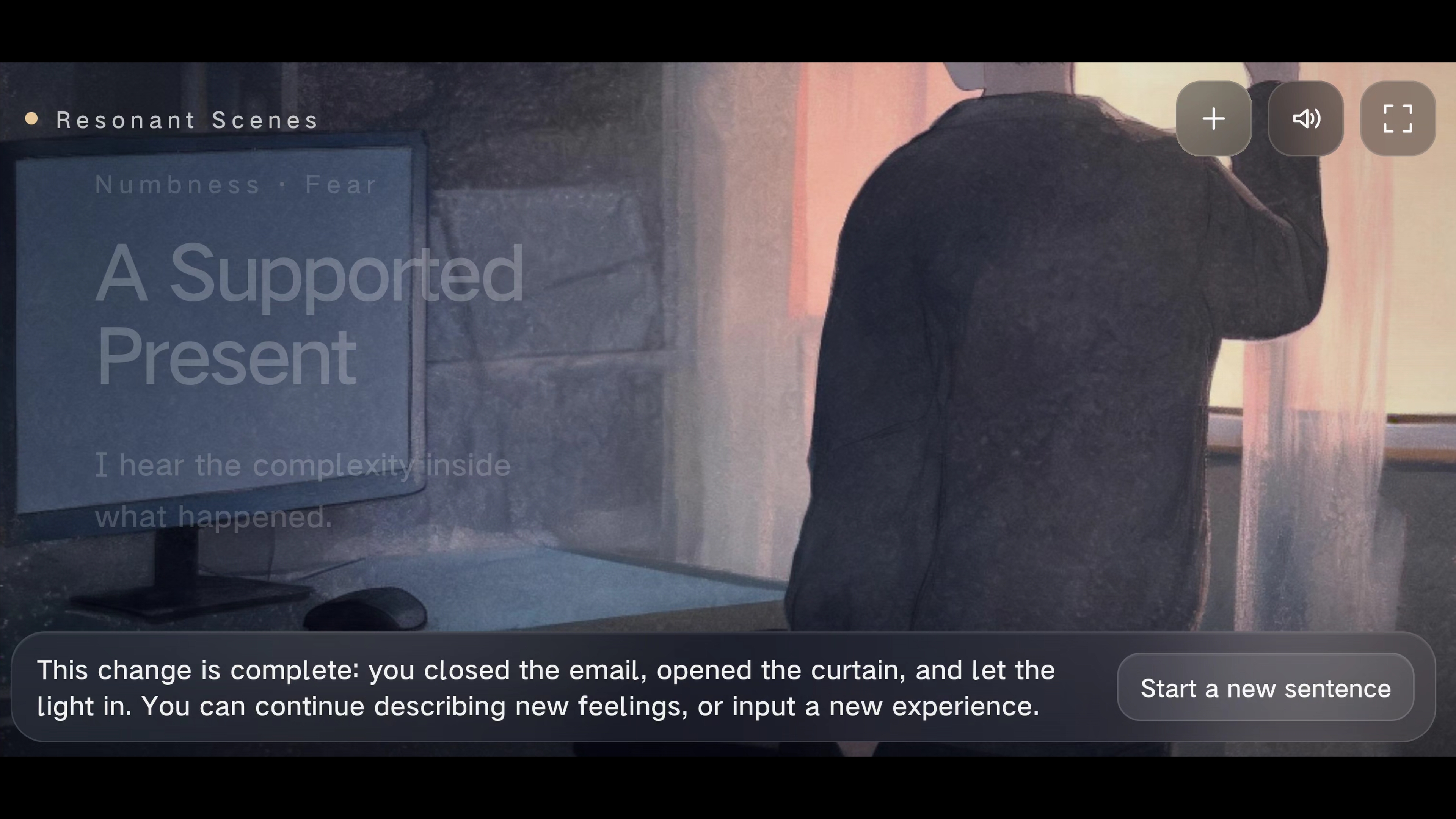
Image 2
Sound Design: Ambient Bed, Trigger Sound and Emotional Progression
The sound design evolved from a barely perceptible synthesiser tone played on each shake into a complete emotional sound system. The final structure consists of three layers: Ambient bed: a continuous synthesiser layer, white noise, rain texture or atmospheric room tone; Action transient: a clearly perceptible impact, droplet, crack, low-frequency hit or static pulse produced by a shake; Emotional tail: chords, bells, reverberation and delay that reconnect the event sound to the ambience. During each valid shake, the ambient bed is briefly reduced to create auditory space for the interaction sound, before returning to a fixed base level. Emotions no longer share one generic pitch glide. Each sound is designed according to the scene object and emotional direction. As the five-stage journey progresses, the sound gradually moves from thin and enclosed to more spatial and layered, developing alongside therapeutic text and visual transformation.
Final Outcome, Personal Contribution and Reflection
The most important outcome of this project was not the accumulation of more technology, but the gradual understanding of which technologies should remain behind the experience. Camera-based gesture recognition demonstrated that bodily action could create participation. Procedural particles revealed the value of immediate feedback while exposing a lack of narrative depth. The MPU6886 and CoreS3 sphere clarified the embodied metaphor of holding and shaking, while also exposing problems of battery, scale and accessibility. ComfyUI demonstrated the control offered by local generation, but also revealed the difficulty of event-level semantic translation. Cloud generation improved personalised storytelling while introducing waiting time. The final design did not simply remove these technologies. It repositioned them within the experience: dedicated hardware was replaced by an ordinary phone; sensor parameters were hidden behind narrative actions; generation latency became a prelude composed of fourteen emotional scenes; the AI image became a five-stage interactive journey rather than a static result; image, sound, language and progress were synchronised through the same physical action. What I ultimately abandoned was not sensing, but the idea that technological complexity should become a barrier to participation. What remained was bodily movement, emotional response and a narrative that gradually unfolds. Future development could include low-stimulation and high-response modes, personalised editing of emotional scenes, and a more systematic study comparing written advice, particle feedback and scene-based feedback in supporting emotional interpretation.